Warning: Children Can Be Exposed to ID Theft Through Data Breaches

Saving money in a piggybankAdults aren’t the only ones who can have their identity stolen. Tens of millions of American children had their Social Security Numbers, dates of birth and health care ID numbers stolen in the data breach at health insurance giant, Anthem Inc. Criminals can now use those stolen Social Security Numbers to open accounts, get medical treatment, commit tax fraud, and so on.

Because the children’s information was linked to their parents’ data, it can also make it much easier for cybercriminals to commit fraud against their parents as well, said Tim Rohrbaugh, chief experience officer at Identity Guard.

The Social Security Number was never supposed to be used as a national identifier, but it’s become that. For an identity thief, that nine-digit number is the key that unlocks your life. A child’s SSN is even more valuable. Here’s why: for most minors, their number is pristine – it’s never been used and is not yet associated with a credit file. That means there’s very little chance that the credit reporting agencies are monitoring it.

A criminal can take that stolen number, combine it with someone else’s name, address and birth date to create a fake ID that can be used for fraudulent purposes. All too often, this fraud is not detected until the child reaches legal age and applies for a student loan or tries to get a credit card. By that time, their credit history is ruined and it could take years to undo the damage.

Parents need to be on guard.

“Now it’s really all about detection,” said Eva Velasquez, president and CEO of the non-profit Identity Theft Resource Center (ITRC). “Parents need to keep an eye out for any red flags that signal their child’s stolen Social Security Number has been used by a thief.”

Those warning signs include:

  • Collection calls or notices for a debt incurred in your child’s name
  • Mailings that would generally be for someone over the age of 18, such as pre-approved credit card offers, jury duty notices, or parking tickets
  • An insurance bill or explanation of benefits from a doctor listing medical treatments or services that did not take place
  • A notice from the IRS that your child’s name and/or Social Security Number is already listed on another tax return

Fraud experts encourage all parents to check to see if their underage children have credit reports. All three of the major credit bureaus, Equifax, Experian and TransUnion, allow parents to do this at no cost.

“If they have [a credit report], it could be an indicator of fraud. If not, you probably don’t have anything to worry about,” said Experian spokesman Rod Griffin. “If your child has a credit history and you don’t know why, you should be very concerned.”

In that case, you should put a “freeze” on any fraudulent credit files – it’s free, so that those files cannot be used to commit more financial fraud using your child’s stolen identity. Then you’ll need to work with the credit bureaus to remove the false information from that account. The Identity Theft Resource Center can help guide you through the process. Be advised that once your child becomes an adult, you’ll need to contact the bureaus to get the freeze lifted or they won’t be able to get any credit cards or loans.

Parents should do this fraud check once a year until their children become adults and can then check their own credit history. Finally, don’t think you’re safe because you don’t have Anthem. Remember, there are many other ways a crook can snag your child’s Social Security Number.

Article Source: Herb Weisbaum for NBC News, http://www.nbcnews.com/business/personal-finance/millions-children-exposed-id-theft-through-anthem-breach-n308116


8 Online Banking Fraud Prevention Tips

  1. Choose a bank account that offers some form of multi-factor authentication Keyboard with E-Banking Button.(MFA) for online banking, such as a key code or unique image. First Financial offers this with our Online Banking!
  2. Create a strong password, avoiding common words or phrases, and change it every few months. Also, for security questions, the answer does not have to be the real answer, just one you will remember.
  3. Keep your security software (anti-virus, firewalls, etc.), operating system, and other software up-to-date to ensure that there are no security holes present when using your computer for online banking.
  4. Beware of suspicious emails and phone calls that appear to be from your financial institution asking for account information. Access your online banking account directly by typing the address into your browser, going through your financial institution’s website, and only call your financial institution back via a number that you are familiar with and you know is legitimate.
  5. Access your accounts from a secure location, using computers and networks you know are safe and secure. Avoid using public networks and always look for the padlock icon in the corner of the browser, signaling that the website is encrypted.
  6. Always log out and clear your computer’s cache at the end of each session.
  7. Set up account notifications to immediately alert you if there is any suspicious activity on the account, such as large withdrawals or a low remaining balance.
  8. Monitor your accounts regularly, paying attention to all transactions over the past few months.

If you fall victim to ID Theft, don’t panic – First Financial is here to help! Report the incident regarding any of your First Financial accounts immediately, by calling us at 732.312.1500 or emailing info@firstffcu.com

8 Ways to Protect Your Identity While Shopping Online

Concept of mobile shoppingAs we move into the most frenzied shopping season of the year, scam artists will be on the prowl for vulnerable shoppers. To avoid becoming a victim, consider taking steps now to keep your financial accounts and personal information safe.

1. Skip attachments and hyperlinks. Even attachments from people you know can be nefarious, since those acquaintances could be infected with a computer virus. If the email contains unusual or scant wording, don’t open the attachment. The same logic applies to hyperlinks in emails (or requests for information received over text message). First hover over the link to make sure it’s going to direct you to a valid address.

2. Don’t make purchases over coffee shop lattes. Any public Wi-Fi connection, such as those offered at coffee shops or libraries, carry extra risks, since they aren’t private. Try to avoid shopping online or engaging in any financial transactions, like logging into your bank account, from such hot spots.

3. Protect your smartphone. Web browsers and retailer apps on mobile devices make it easy to shop on the go, but doing so can also expose shoppers to extra risks since many phones don’t have the same kind of data encryption that’s often installed on computers. Even taking a relatively simple step, like enabling the password lock feature on your phone, will make it harder for a thief to access private data stored on the phone in case it’s lost or stolen. The computer security company McAfee also warns against downloading apps that might steal personal information.

4. Don’t trust your “friends.” Hackers target social media, including Facebook and Twitter, because they know it’s easier to get people to click on a link that appears to be recommended from a friend. McAfee has identified dozens of examples, including free dinner offers at Cheesecake Factory and fake mystery shopper invitations. Offers that sound too good to be true, such as free iPads or free iPhones, are also a common lure. The company cautions against clicking on fake alerts from friends, who may have been hacked themselves, and avoiding shortened links on Twitter that claim to offer deals.

5. Open e-cards with caution. They can be cute, but they can also be malicious. McAfee warns that some e-cards download viruses onto your computer when you download them. To avoid that outcome, the company suggests only opening e-cards from domain names that you recognize.

6. Upgrade your passwords. The holiday season can serve as a good reminder to give your passwords a makeover; security experts recommend changing them regularly as a precaution against hackers. Avoid common and simple words, use long combinations of words that also incorporate numbers or symbols, and never use duplicate passwords for multiple accounts. Sites that offer two-step authentication, such as Twitter and Gmail, can also add another layer of protection.

7. Check up on an e-retailer before making purchases. Some fly-by-night operations take advantage of the uptick in shopping around the holiday season to collect cash without ever mailing out the goods in return, warns the Better Business Bureau. The same applies to in-person exchanges on Craigslist or other online sites. To protect yourself, the bureau recommends never wiring money or paying in advance, and bringing a friend to any in-person exchanges.

8. Review your statements. The first sign of identity theft is often an unfamiliar charge on a credit card or bank statement; reviewing those statements carefully and contacting your financial institution or card provider with any concerns can prevent a theft from expanding. Credit cards usually come with some measure of automatic protection, as long as you report the scam relatively quickly.

Following these tips might leave you feeling overly cynical about the world, but the real downer would be dealing with a stolen identity just as the holiday season is heating up.

Article Source: Kimberly Palmer for US News – Money, Http://money.usnews.com/money/personal-finance/articles/2014/09/16/8-ways-to-protect-your-identity-while-online-shopping


Steps to Protect Against Credit Card Fraud

Secure purchasesIn light of recent retailer data breaches and with credit and debit card fraud becoming more frequent, be sure to read and follow these 8 steps to protect yourself and your identity from being stolen.

1. Be sure to get a new replacement credit or debit card if yours was compromised. If you suspect fraudulent transactions on your card and your financial institution hasn’t contacted you or provided you with a replacement card – be sure to call and request one.

2. Check your bank account and credit card activity online to see whether your card was used at any retailer that was recently hacked. Don’t wait for your print statement to come in the mail; check the latest account activity digitally with online access to your account information or by using a mobile banking app. Also watch out for changes to your debit card PIN.

3. Be alert for post-breach phishing attempts. Hackers don’t always get everything they need to break into your accounts, so they will typically send you emails or even call on the phone and pose as your bank or card issuer to try to trick you into giving up the missing pieces, including mother’s maiden name, account username and password, date of birth, and Social Security Number. Do not give this information out – your bank will never call, text, or email you for the information you already provided when you opened your account.

4. Lock down your credit report with a security freeze, which essentially shuts off access to your credit history by new would-be lenders. If a hacker applies for a loan in your name, the creditor is less likely to approve it if he or she can’t see your credit file. Freezes are typically free for victims of identity theft.

5. Get as many free credit reports as you can per year so you can regularly monitor them and keep an eye out for fraudulent new accounts. You can get three free credit reports (one from each credit bureau) from annualcreditreport.com.

You’re also entitled to a free credit report from each bureau after you file a 90-day fraud alert, which you should do every 90 days if you’ve been a victim of a data breach, or have a good-faith suspicion that you’re about to become a victim of identity fraud.

6. Change your passwords regularly on your various financial accounts and use strong passwords to thwart hackers and protect yourself online.

7. Don’t panic, but take a breach threat seriously, because this problem is now a fact of life until the big payment card brands, banks, and retailers improve the security of payment processing systems in the U.S.


ID Theft Risks That Lurk in Your Child’s Backpack

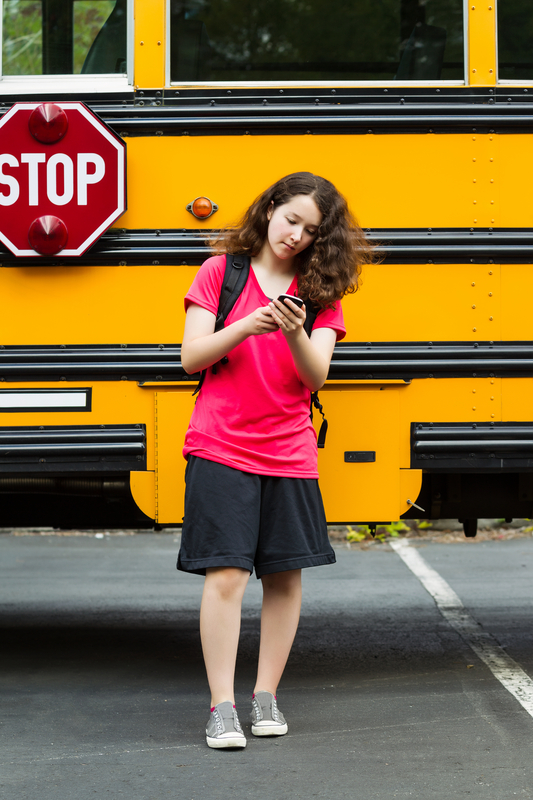
Girl walking away from School Bus while texting on her phoneWhile you’re out searching for the perfect back-to-school backpack for your child, the more important consideration other than style, size, and color should be — what can happen if a dishonest person gets a hold of it? The things your child carries in his or her backpack can become a huge financial headache if they fall into the wrong hands.

With identity-related crimes at historic levels, the odds are better than ever that a dishonest person will know the basics of taking advantage of the kinds of personally identifiable information, sensitive data (like passwords and credit card numbers), and the many other keys to your household economy that can lurk in your child’s backpack.

Here’s a short list of what a relatively creative thief might find in your child’s backpack, and what you can do to prevent the worst from happening.

1. A Smartphone

While obvious to you (hopefully), does your child understand the serious potential for disaster that a walk-about smartphone can bring to your doorstep?

It can be as simple as a scammer dialing 611 and ordering new services. Chances are good that there’s enough information in your child’s backpack for a motivated thief to get your name and thus the keys to your telephonic kingdom.

But there are other identity indignities that can be done. Many people store user name and password information on the Notes app of their phones. The Notes may contain other informational cracks and crevices as well and open up unsuspecting third parties — relatives and friends — to scams. Email scams, grandparent scams, an iTunes or apps shopping spree, malware installation — so many tidbits to exploit.

What to do: Talk to your kids about the dangers of an unsecured phone and discuss basic data storage details with them — like what information shouldn’t be on their phones. Is the phone locked with a passcode? It should be! Also have them set strong (think creatively alpha-numeric) passwords, and a Find Me app to erase the contents should the device fall into the wrong hands.

2. Their Laptop

You don’t need to be a movie buff to know that a computer is a dangerous thing in the wrong hands. Most issues associated with a lost phone come to bear here as well. Emails can be sent to relatives or strangers in the service of stealing money or wreaking havoc.

Beyond the irresistible cornucopia of files that may well be saved on the device, email is a treasure trove of personally identifiable information — everything from credit card numbers to more data like name, address, email addresses and birthdays — pieces of a puzzle that can be assembled to present a believable story to a customer service representative and then steal valuable goods and services, or used as a fly trap to accumulate even more personally identifiable information.

Does your child have access to your Netflix account? How about Amazon or iTunes? Where else have they gone in cyberspace that might have their information — or yours? Open social media sites that are set to login automatically afford a wide vista of scamming opportunities too.

What to do: Make sure your child gets into the habit of logging out of all their online accounts, and that they don’t store sensitive information on their laptops. Talk to them about the wisdom of not saving user ID and password information, and how to make a good one. Finally, have your child set a password — shared with you — to protect their device against the wrong person accessing it.

3. Keys and Name Tags

So, this is pretty straightforward: If your child uses a karabiner to attach his or her keys to their backpack, you’ve got a potential robbery waiting to happen.

Additionally, there are apps that can allow a fraudster (as well as a person who might want to use the app to avoid unnecessary inconvenience) to make a copy of a key that a locksmith can duplicate.

What to do: Tell your child to keep the keys to your home in their pocket rather than on their back.

4. Gaming Device

Playstation Vita is a popular gaming device — and not the only device that could cause you a world of woe should it fall into the wrong hands — but we’ll single it out for the sake of illustration.

The good news: Your personally identifiable information is safe even if someone grabs the device, because it’s password-protected and associated with your gamer’s access to the network.

That doesn’t mean that a bad player can’t do some damage. First, they can play games and wreck your child’s sterling reputation in the community. Worse: Whoever has that device can buy games and run up a hefty bill. One-click purchased games are something any malicious third party can rack up in the way of a very expensive just-because crime.

What to do: Have your child set a passcode for access to the device and make sure they share it with you.

When it comes to data security, best practices are universal. It’s your job to pass on what your kids need to know to stay safe and keep your family out of the crosshairs of ID theft.

Article Source: Adam Levin for Credit.com, http://www.today.com/parents/identity-theft-risks-lurk-your-kids-backpack-1D80042370

Smishing – An ID Theft Scam

Have you been “smished” lately? Be on the alert for text messages with links — they could be an ID theft scam known as smishing.

Similar to phishing (which involves email), smishing uses cell phone text messages to deliver bait that’s intended to get you to divulge personal information. Smishing may involve winning a prize or a message that contains something that requires your immediate attention — the link tells you to “click here.” If you click on the infected link, it downloads malware that allows the bad guys to gain control of your device remotely. They can then use your phone from anywhere in the world to access your banking information, credit card data and the like.

What to do:
If you receive a text message that asks for sensitive information –

  • Do not reply to the message.
  • Do not click on any of the links that may be embedded in the message.
  • Contact your carrier’s privacy or fraud team. If their company name or brand is used in efforts to fraudulently obtain personal information, they may choose to pursue legal action.
  • Contact your financial institution to be sure your accounts have not been compromised.

Visit the FTC Identity Theft website to learn more about how to minimize damage from identity theft. If you believe that you have been a victim of a smishing scam, you can file an online complaint with the Federal Trade Commission’s Report Fraud webpage. You can also call the FTC toll-free at 1.877.FTC.HELP (1.877.382.4357).

Bottom line: Avoid clicking!

Save someone from getting smished:
As technology provides new ways to expose and defend against familiar scams, clever con artists devise new ones. Please share this with loved ones and friends — smish be gone, pass this on!

If you notice any fraudulent activity on any of your First Financial accounts, contact us by calling 732.312.1500, emailing info@firstffcu.com or stopping into any one of our branches.

Article Sources: http://www.andersoncooper.com